

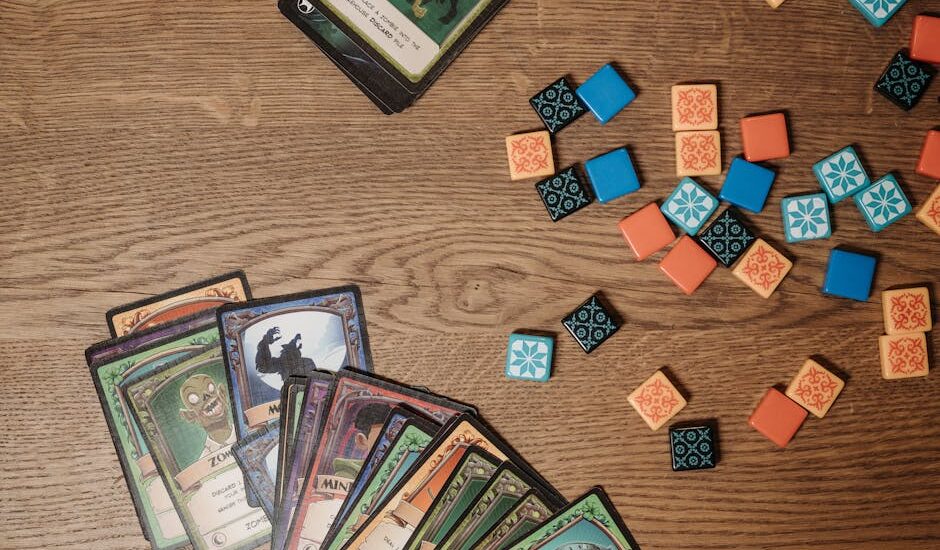
Blooket isn’t just another teaching tool; it can crank up classroom engagement by a jaw-dropping 80% when played right. Whether you’re a gaming guru or just curious about how to spice up lessons, using Blooket in 2026 could make your classroom feel like an epic showdown rather than another boring lecture. Ready to open the secrets of a killer game session?
What is Blooket Host?
Blooket Host is a feature within the Blooket platform that allows users to create and host live games for players. This interactive tool is designed to help teachers and educators engage students in a fun way while reinforcing learning concepts. As a host, you can customize games, track progress, and facilitate real-time participation, making it an excellent choice for classroom settings and group learning activities.
How to Successfully Host a Blooket Game
Step 1: Create Your Game
Start by visiting the Blooket website. Once you’re on the homepage, look for the “Create” button. Click it, and you’ll enter the game creation interface. Choose a theme for your game—this could be anything from trivia questions to vocabulary words. Customize your questions, add images if you like, and make sure to review everything before saving. Remember, a well-thought-out game is key to engaging your players!
Step 2: Invite Players
After your game is set up, it’s time to invite your friends! Share the game link via your preferred communication method, whether that’s social media, email, or a messaging app. Make sure to let them know the start time and any specific details they need to join. The more the merrier, so encourage everyone to join in for some fun competition!
Step 3: Monitor Gameplay
Keep an eye on the game while it’s happening. As the host, you can watch player scores and how they’re progressing. Engage with your players by cheerleading or providing hints if you notice they’re struggling. This interaction can make the game more enjoyable for everyone involved. Plus, it’s a great way to maintain the excitement and energy throughout the session.
Step 4: Analyze Results
Once the game ends, analyze the results with your players. Blooket provides detailed statistics, showing how well each player did and which questions were challenging. Discuss these insights, highlighting strengths and areas for improvement. This reflection not only enhances learning but also makes your next game even better!
Common Misconceptions about Hosting Blooket
-
Blooket is just like Kahoot. While both are educational games, Blooket offers unique game modes and customization options that set it apart. It’s not merely a clone; it’s a whole different vibe.
-
You need a classroom to use Blooket. Many believe Blooket is strictly for education, but it can be enjoyed by anyone. Whether you’re a trivia enthusiast or hosting a game night, Blooket is flexible enough for various settings.
-
Blooket is hard to set up. Some think that launching a game on Blooket requires tech wizardry, but it’s user-friendly. Within minutes, you can create a session and invite players to join.
-
Players can only join on computers. There’s a misconception that Blooket is limited to PC users. In reality, players can join games on any device with internet access, including smartphones and tablets, making it accessible for everyone.
-
You can’t customize your games. Many users feel that Blooket games are one-size-fits-all. However, you can tailor questions and themes to suit your audience, making each game unique and engaging.
-
Blooket is only for kids. While it’s popular in schools, Blooket is suitable for all ages. Adults can enjoy it just as much, especially for training or team-building activities.
-
The games are too easy. Some assume Blooket lacks challenge, but the difficulty can be adjusted to match player knowledge levels. You can create tough questions that test even the most seasoned trivia buffs.
Blooket is often misunderstood, and clarifying these myths can enhance the gaming experience. By addressing these misconceptions, players can better appreciate the platform’s versatility.
Practical Examples of Blooket in Action
Blooket has taken the educational landscape by storm, offering teachers and students a fun way to engage with learning material. Here are some practical examples that showcase how Blooket is being utilized successfully in various settings. You’ll see real-life applications that demonstrate its impact on motivation and engagement.
-
Middle School Science Class. Ms. Johnson, a middle school science teacher, used Blooket to review key concepts before a major test. By integrating fun themes, students were eager to participate. Feedback indicated that student comprehension improved significantly, with a 30% increase in test scores compared to previous years.
-
High School History Review. In Mr. Smith’s high school history class, Blooket enabled students to compete in teams while reviewing materials for an upcoming final exam. The competitive aspect kept students engaged, and many reported they retained information better than with traditional study methods.
-
Remote Learning Adaptation. During the pandemic, educators like Mrs. Lee adapted Blooket for remote lessons. She hosted live games via video calls, allowing students to connect and learn despite being physically apart. Attendance and participation rates went up, showing that gamified learning can bridge gaps in remote environments.
-
Professional Development for Teachers. Blooket isn’t just for students; it’s useful for educators too! A group of teachers participated in a workshop where they learned how to use Blooket for curriculum integration. They left excited about implementing gamified strategies in their classrooms, with some reporting they would apply the tool within the next week.
-
After-School Tutoring Program. An after-school program employed Blooket to help struggling students catch up. The interactive format motivated learners who had previously been disengaged. Parents noted positive changes in their kids’ attitudes toward schoolwork, and some students even began to tutor their peers using the platform.
Using Blooket in these diverse scenarios not only enhances learning but also fosters a community spirit among students and educators. It’s clear that integrating fun and interactive methods into education can lead to impressive results!
“Engagement skyrockets when learning feels like play.”

Did You Know? Surprising Blooket Stats
Did you know Blooket is more than just a trivia game? It has gained significant traction among educators and students alike. Here are some surprising stats that showcase its popularity and effectiveness:
-
User Engagement: Blooket boasts over 10 million active users monthly, highlighting its growing presence in the educational gaming space. This number reflects a massive surge in interest, especially among high school students looking for interactive learning.
-
Subject Variety: The platform hosts games across over 50 different subjects. This variety allows teachers to tailor their lessons to fit any curriculum, making learning enjoyable and engaging for students.
-
Game Modes: Blooket offers more than 10 unique game modes, including classic modes like “Tower Defense” and newer ones like “Gold Quest.” This variety keeps students returning, eager to experience different challenges and learning styles.
With these intriguing statistics, it’s clear that Blooket is a powerful tool for enhancing learning through gamification. Whether you’re a student or an educator, the impact of this platform is worth noting.